Tickets become trips, automatically
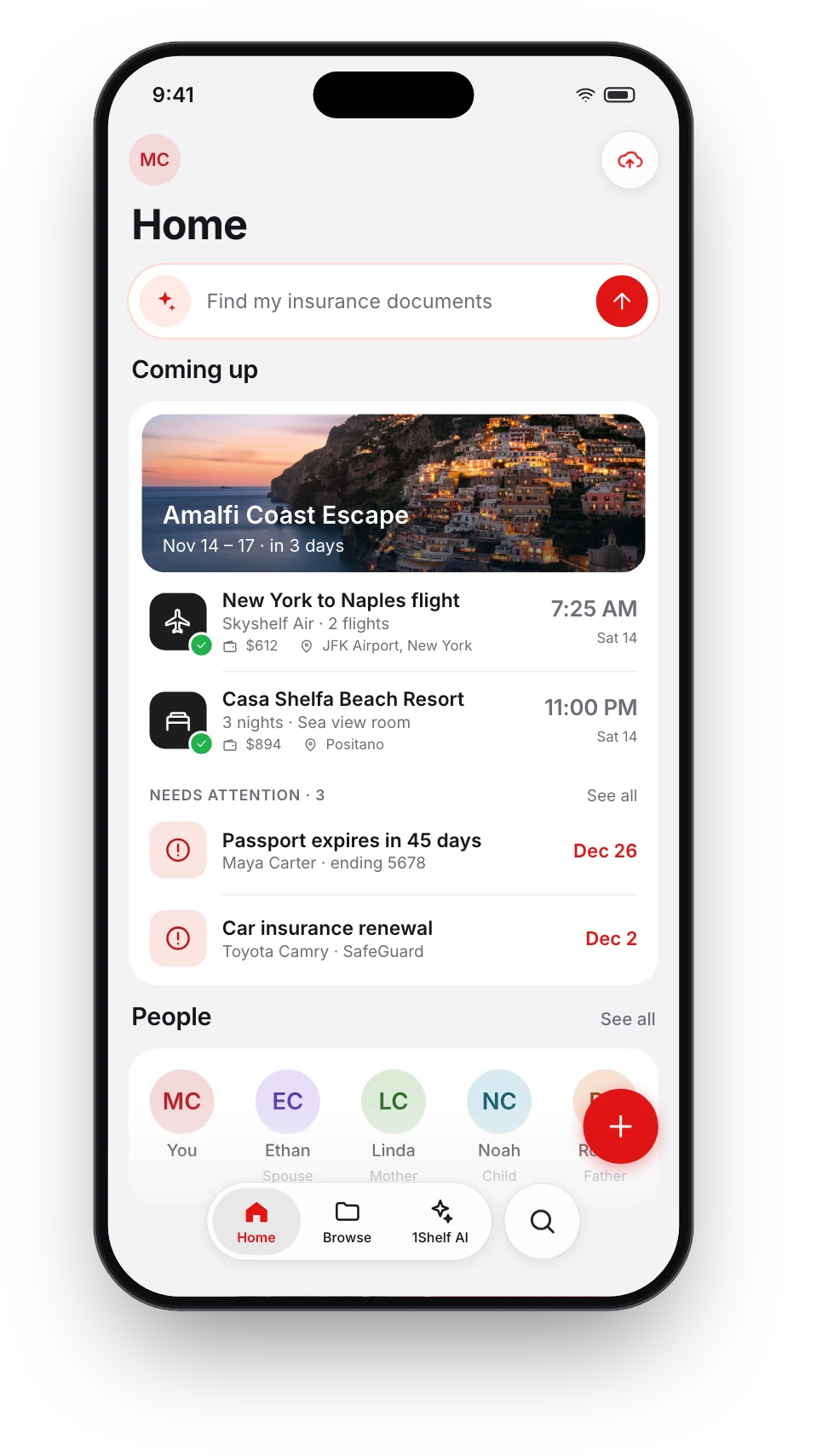
Add the flight ticket and the hotel booking. 1Shelf puts them in order, builds the day-by-day plan and keeps everyone on the trip looking at the same thing.


Free on iPhone, iPad and Android.
From a booking to a shared plan
- Step 1
Add your bookings
Flight, train and bus tickets, hotel bookings, event tickets. A photo, a PDF or a forwarded email.
- Step 2
1Shelf builds the trip
It groups the bookings that belong together and lays them out day by day.
- Step 3
Invite who is going
Share a link or a code. Everyone sees the same plan.
What a trip holds
Everything the group needs, made from the bookings you already have.
- The itinerary
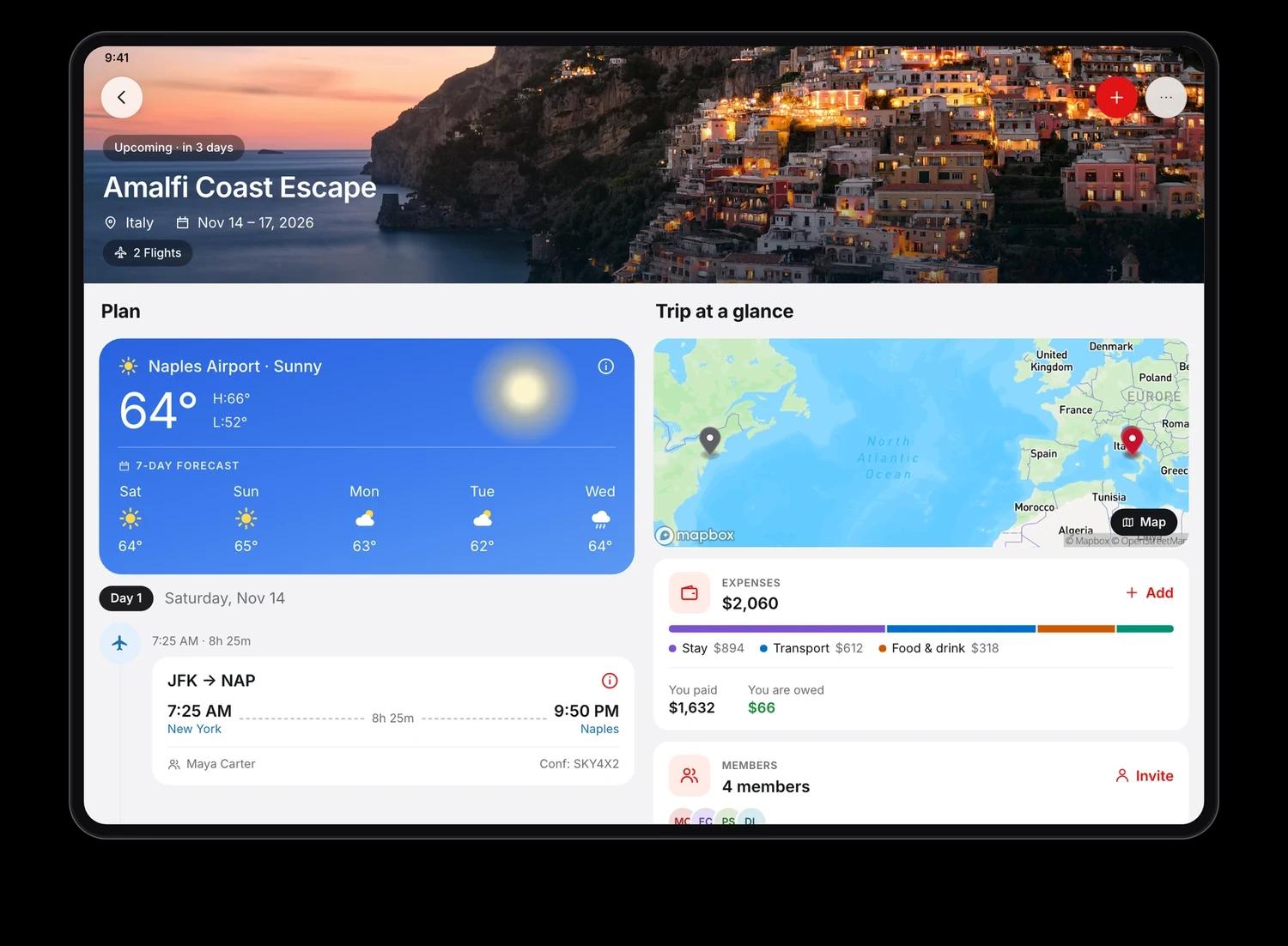
- Day by day, with flight times, layovers, seats, check-in and check-out.
- The weather
- The forecast for where you are going, next to the plan.
- Everyone's documents
- Tickets and bookings in one place for the group. Identity documents stay private by default.
- Shared expenses
- Who paid, who owes whom, and settling up. Split equally, by amount, by percentage or by shares.
- There without signal
- At the airport counter with no network, your ticket still opens.
Questions people ask
Do I have to create the trip myself?
No. When you add tickets or bookings, 1Shelf groups them into a trip for you. You can also create a trip by hand.
Which bookings does it recognise?
Flight, train and bus tickets, hotel bookings, and tickets for events and attractions.
How do I share a trip?
Send a link or a short code. The people you invite join the trip in the app and see the same plan.
Can we split costs in different currencies?
A trip uses one currency. Expenses added in another currency are converted to it.
What if a document lands in the wrong trip?
Move it or remove it. 1Shelf remembers the correction.
Is it free?
1Shelf is free on iPhone, iPad and Android.
Give it one document. See what it does.